To fix slow home Wi-Fi, first find out whether the slowness comes from the wireless signal, the router or the internet connection itself, then work through the fixes in that order. Most problems come down to router placement, interference or too many devices competing, and none of them need expensive equipment to solve.
The steps below go from the quickest and cheapest to the most involved. Stop as soon as things improve.
First, find where the problem is
Wi-Fi is just the last few meters of your connection. The slowdown could be elsewhere, so a quick test saves a lot of guessing.
- Run a speed test on a device connected to the router by an Ethernet cable, if you can. This shows what your internet plan delivers.
- Run the same test on Wi-Fi, standing close to the router.
- Run it again in the room where the connection feels slow.
Compare the three results. If the wired speed is poor, the problem is the plan, the modem or your provider. If wired is good but the nearby Wi-Fi is also poor, look at the router and its settings. If it is good close up but weak in the far room, you have a coverage problem.
Quick fixes to try first
Restart the router and modem
It is a cliché because it works. Unplug both, wait about thirty seconds and plug the modem in first, then the router. This clears temporary glitches and overheating. If you must restart often, something is wrong and the later steps matter more.
Restart the slow device
Sometimes the culprit is a single laptop or phone with a stuck connection. Turn Wi-Fi off and on, or restart the device, before blaming the network.
Check for background hogs
Cloud backups, large downloads, software updates and video calls can use most of your bandwidth. Pause these during a speed test, and see whether the Wi-Fi feels better. If a backup service is the cause, schedule it for overnight, and our guide to the 3-2-1 backup rule has tips for planning backups sensibly.
Fix slow home Wi-Fi by moving the router
Placement makes a bigger difference than most people expect. Wi-Fi signals weaken through walls, floors and large objects, especially concrete, brick, metal and water.
- Put it in a central location, as near as practical to where you work and stream.
- Raise it off the floor onto a shelf or table.
- Keep it in the open. Avoid cabinets, behind TVs or inside a closet.
- Keep it away from interference, such as microwave ovens, cordless phones and baby monitors.
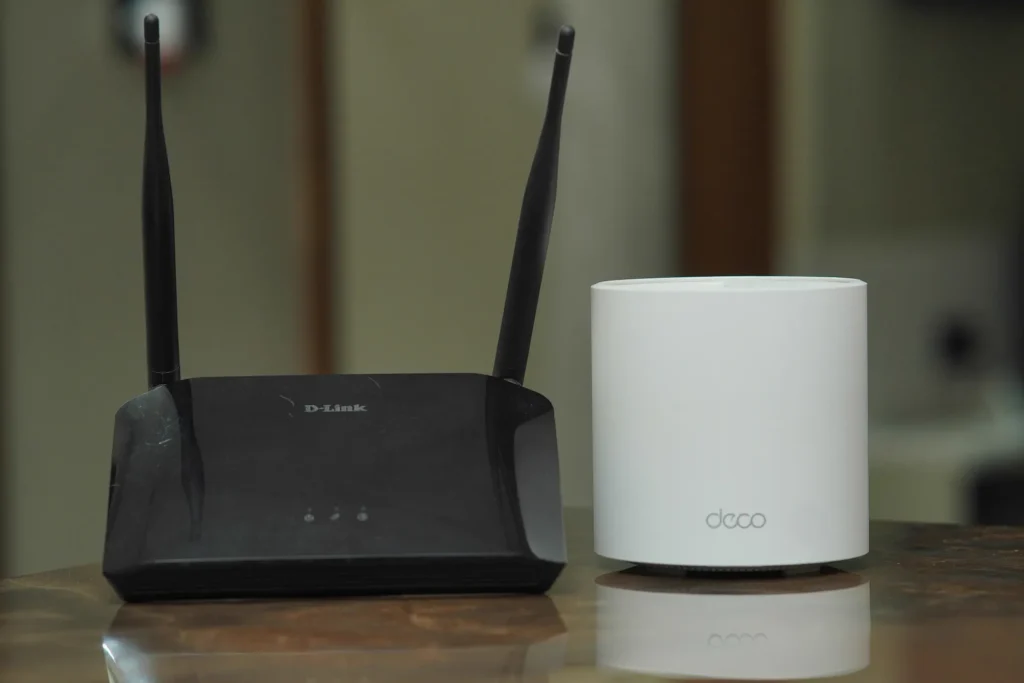
- Point any adjustable antennas in different directions, for example one up and one sideways.
Where the provider has installed the router next to the front door, you may be able to run a cable and move it, or add a second access point.
Use the right band and channel
Most modern routers broadcast on two radio bands. The lower band travels farther through walls but is slower and more crowded. The higher band is faster but has a shorter range. For devices in the same room as the router, the higher band is usually better. For far rooms, the lower band may be steadier.
In apartment buildings, neighbors’ networks overlap on the same channels and slow everyone down. Most routers pick a channel automatically, but it does not always choose well. In the router’s settings, try a different channel, or use a free Wi-Fi analyzer app on your phone to find the least crowded one.
Reduce the load and update the router
Too many devices
Phones, TVs, speakers, cameras and smart plugs all share the same connection. Disconnect devices you no longer use, and consider wiring fixed devices, like a desktop or TV, with Ethernet. That frees airtime for the rest.
Update the firmware
Router makers release updates that fix bugs and security flaws. Check the admin page, or the app, for an update option and turn on automatic updates if offered. Changing the default admin password is wise at the same time, and a password manager makes a long, unique one easy to keep.
Check for unwanted users
Look at the list of connected devices on the router. If you see something unfamiliar, change the Wi-Fi password and use strong encryption, which is usually labeled WPA2 or WPA3.
Extend the coverage for big or awkward homes
If one router cannot reach every room, you have three main options.
| Option | Best for | Trade-off |
|---|---|---|
| Mesh system | Larger homes, several floors | Costs more, but easy to manage |
| Wired access point | Homes with Ethernet in the walls | Best performance, needs cabling |
| Simple range extender | Small dead spots | Often halves speed on the extended link |
Where possible, connect the extra units to the main router with a cable. Wireless links between units lose speed, so cabling usually gives the best results.
When the plan or provider is the issue
If wired speeds are consistently far below what you pay for, restart the modem and test at different times of day. Then contact your provider with your test results. Also consider whether your plan matches your use. Several people on video calls, game downloads and streaming at once can saturate a modest plan. An old router can also be a bottleneck, and replacing it with a current model can help.
More explainers like this are in our technology category.
Where to start
Run a wired and a wireless speed test, then restart your router and move it somewhere central and raised. Change the channel if you live among many networks, and wire up any fixed device you can. Only consider buying new equipment if those free steps leave a real gap.
Frequently asked questions
Why is my Wi-Fi slow only in some rooms?
Walls, floors and distance weaken the signal. Move the router somewhere central and raised, or add a mesh system or wired access point.
Does restarting the router really help?
Often, yes. It clears temporary glitches. If you need to do it frequently, check firmware, placement and your provider.
Should I use the higher or lower Wi-Fi band?
The higher band is faster at short range, and the lower band reaches farther. Try each in the rooms where you have trouble.
Do range extenders work?
They can fix small dead spots but often reduce speed on the extended link. A mesh system or a wired access point usually performs better.